Sun, March 4, 2007, 09:46 AM under
Orcas |
VisualStudio
UPDATE: After Beta 1 I updated the screenshot below (you can still view the old one here).A cute feature introduced in Visual Studio 2005 was that Ctrl+Tab didn't just cycle through the open windows but it also brought up a dialog that let you see what the next window would be (much like Alt+Tab does on Windows XP).
VS "Orcas" builds on that feature by offering a sneak image preview of the next window (much like Alt+Tab does on Windows Vista). Try Ctrl+Tab in your Orcas installation and you should get a window like the following:
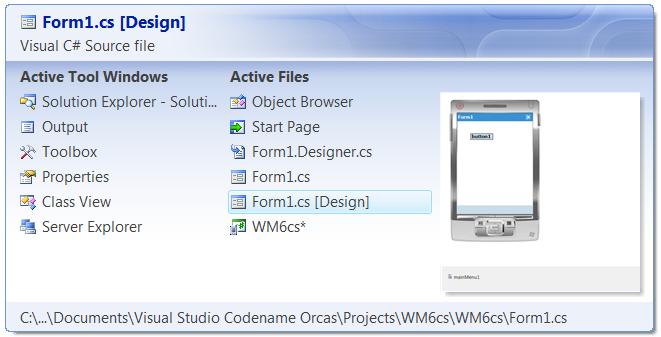
Like I always say, the devil is in the details :-)